LF logo
by learnformula
search
Log in
search
Courses/Office Productivity/Data Analysis & Visualization

Excel Dataviz: Charts that Communicate Performance

Elevate your performance reporting by mastering advanced Excel charts. Create clear, impactful visuals that ensure your message is understood by executives and stakeholders.
Created byDavid Paradi
4.6
(49 reviews)
IntermediateUpdated Jan 22, 2025
Excel Dataviz: Charts that Communicate Performance

What You'll Learn

check_circleLearn what charts can be used to communicate performance
check_circleLearn how to write a chart title that summarizes the message
check_circleLearn how to create column charts in Excel that clearly communicate performance
check_circleLearn how to create and use advanced charts in Excel

About This Course

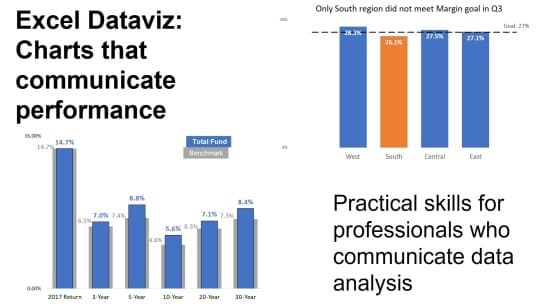
Professionals who have to communicate performance data to executives and other stakeholders can improve their presentations and reports by using visuals instead of a table of numbers. This course teaches you practical techniques to create different charts in Excel to communicate performance. 

Participants will learn to measure and compare data against relevant standards, use message-driven chart titles, and apply techniques that highlight insights for decision-makers. With a modular approach, the course guides learners through building effective visuals such as column and bar charts, using lines and markers for standards, and integrating worksheet-driven automation. 

Perfect for analysts, managers, and presenters, this course emphasizes clarity, visual storytelling, and Excel proficiency to elevate reporting and communication.


Topics List:
  • Introduction to Performance Data Visualization
  • Measuring Performance Against Standards
  • Writing Effective Chart Titles That Convey the Message
  • Linking Chart Titles to Worksheet Cells
  • Visualizing Single Standard Comparisons Using Columns
  • Visualizing Single Standard Comparisons Using Bars
  • Comparing Performance to Two Standards Using Columns
  • Comparing Each Category to Its Own Standard Using Columns
  • Using Lines on Columns to Show Individual Standard Comparisons

Your Instructor

David Paradi
David Paradi
menu_book3 courses
star118 reviews

Dave Paradi has been recognized by the media and his clients as a presentation expert. He has authored ten books on effective PowerPoint presentations and his ideas have appeared in publications around the world. Dave is one of fewer than ten people in North America recognized by Microsoft with the Most Valuable Professional (MVP) Award for his contributions to the PowerPoint, Excel, and Teams communities. His articles and videos on virtual presenting have been viewed over 3.5 million times and liked over 14,000 times on YouTube. He is a highly rated conference speaker and has delivered more than 500 customized training sessions around the world in the last 23 years.

Credit Information

What Students Are Saying

4.6
Student's Choice
49 reviews

Frequently Asked Questions

We are a registered provider with 327+ associations and regulatory bodies worldwide. We operate across 29 global markets including Canada, the US, Australia, and the UK. Every course page clearly displays its specific accreditations. Upon completion, you receive a professional certificate that can be validated online. Our certificates include all necessary accreditation details, credit hours, and completion dates, and are formatted specifically to meet the submission requirements of most global regulatory bodies.